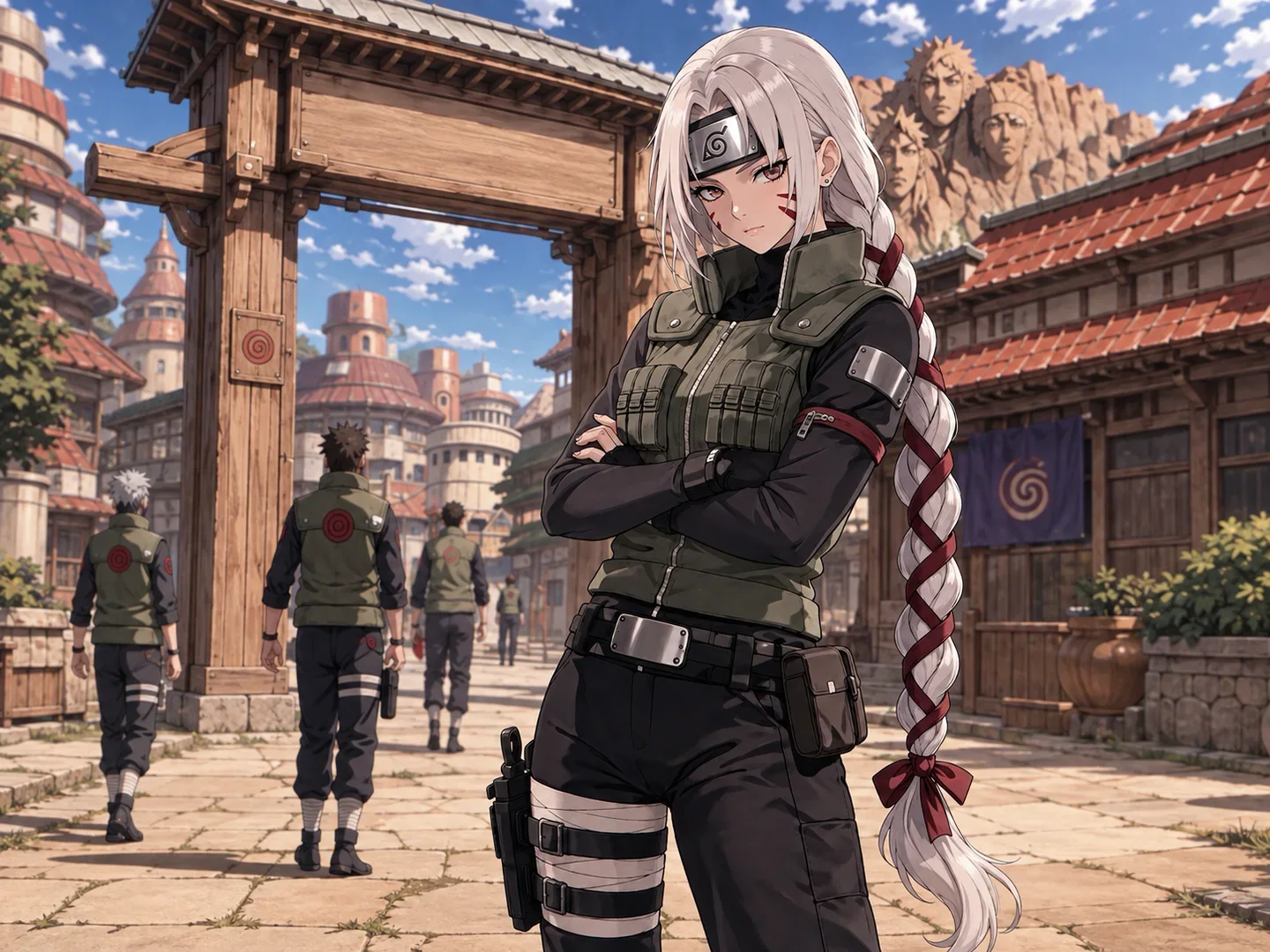
One Piece OC Maker

Give your pirate idea something special! Tell your idea and create a One Piece OC using our handy-dandy online character maker. Create a One Piece OC for Free!

Create your original character

Generated Results

Your latest creations, grouped by local date.

Sign in to view your OC history.

Get Inspired by Classic One Piece Characters

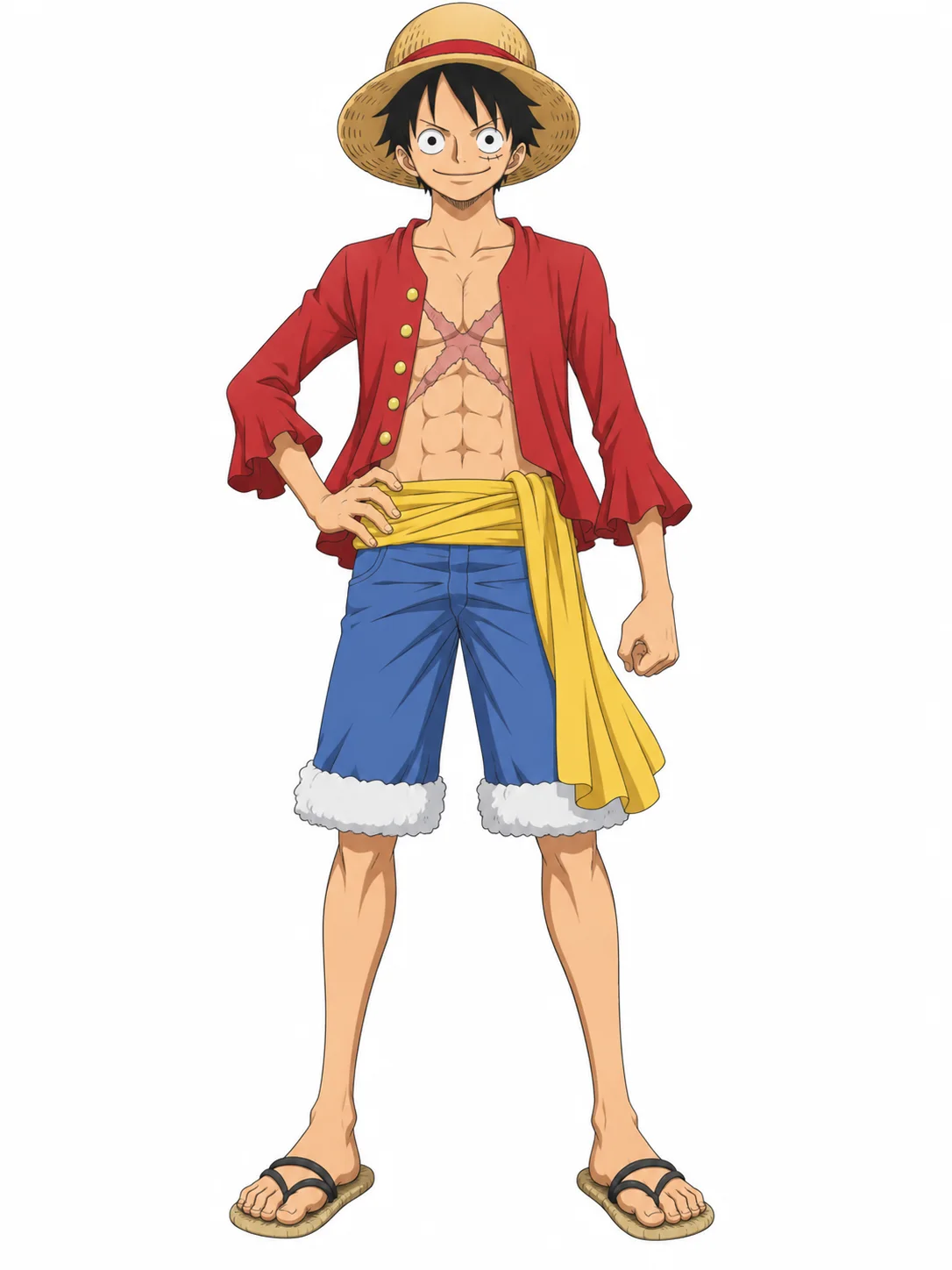
Monkey D. Luffy from One Piece in his red jacket, blue shorts, yellow sash, and straw hat

Monkey D. Luffy

A lean young pirate with tousled black hair, round eyes, a small scar beneath his left eye, and a straw hat with a red band. He wears an open red jacket, a yellow waist sash, blue cuffed shorts, and simple sandals, with an X-shaped scar visible across his chest.
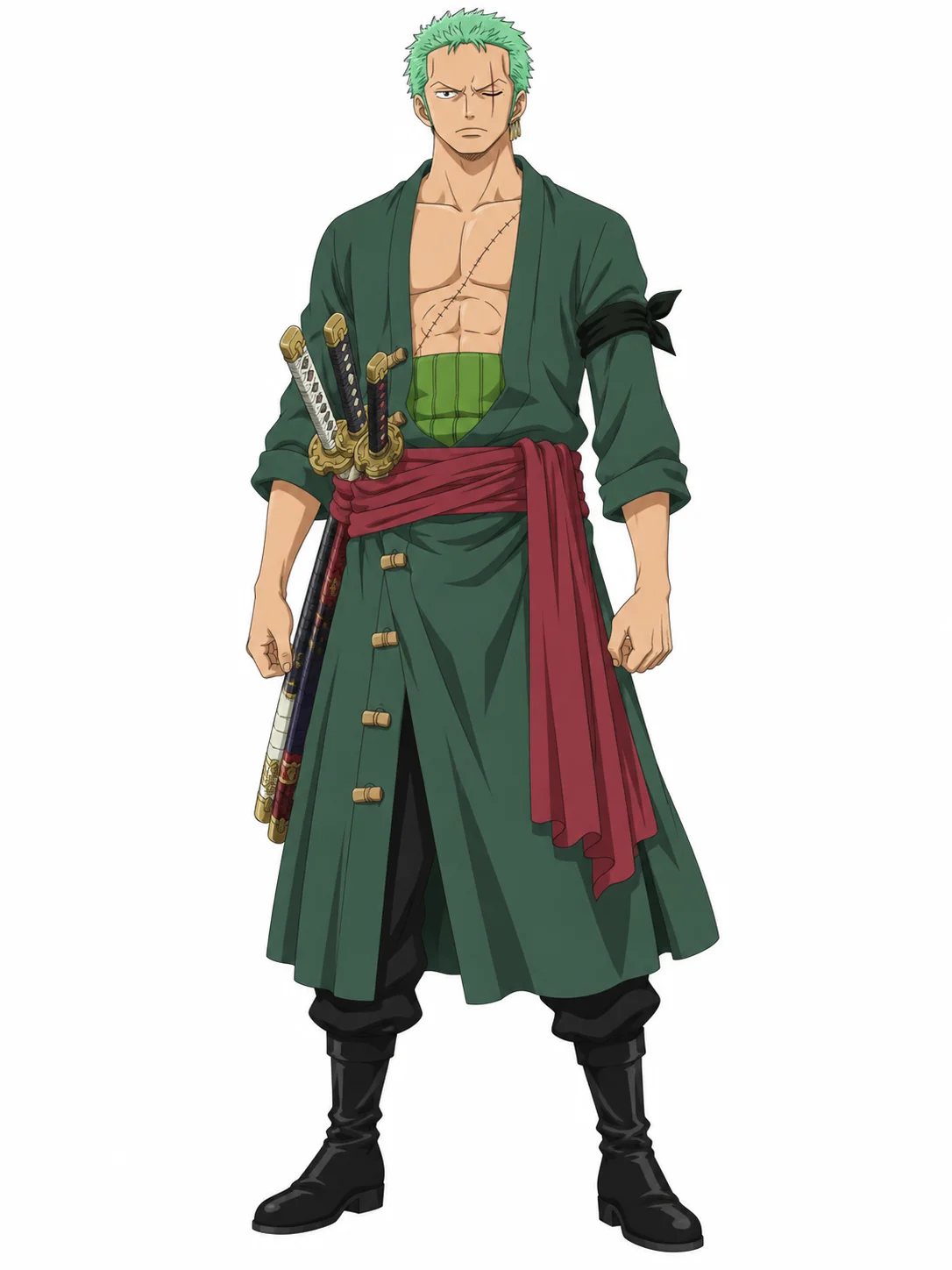
Roronoa Zoro from One Piece in a dark green robe with a red sash and three swords

Roronoa Zoro

A broad-shouldered swordsman with short green hair, three gold earrings, and a long scar over his closed left eye. His dark green robe opens across a scarred chest and is secured by a red sash above black boots, while three sheathed swords sit together at his right hip.

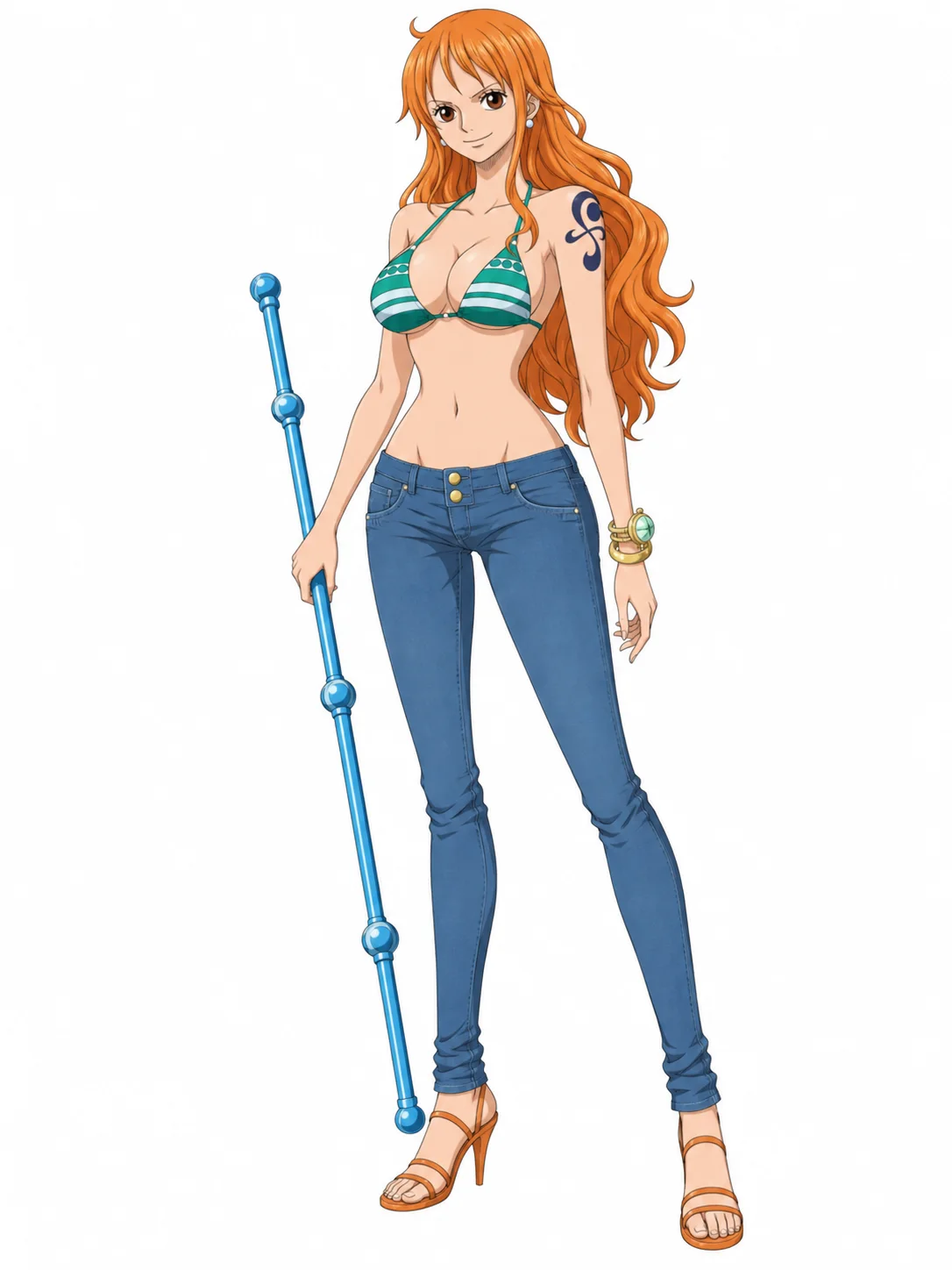
Nami from One Piece with long orange hair, a striped top, blue jeans, and a Clima-Tact

Nami

A slender navigator with long wavy orange hair, brown eyes, and a blue pinwheel-and-tangerine tattoo on her left shoulder. Her familiar outfit pairs a green-and-white striped bikini top with fitted blue jeans, heeled sandals, and gold bangles, often accompanied by a segmented Clima-Tact staff.

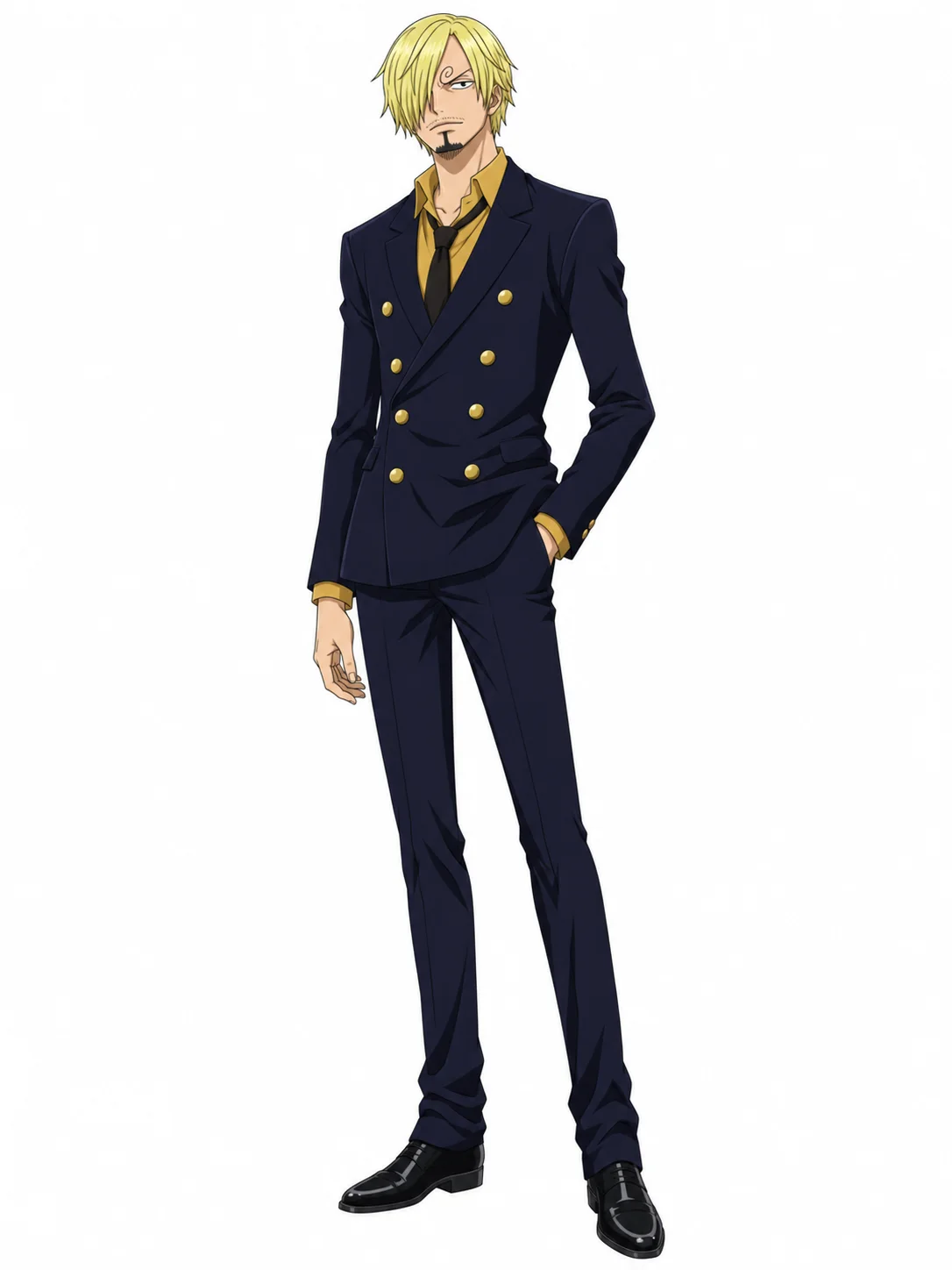
Sanji from One Piece in a dark double-breasted suit with blond hair covering one eye

Sanji

A tall, slim cook with shaggy blond hair covering one eye, a curled eyebrow, light facial hair, and a small goatee. He wears a fitted dark double-breasted suit with gold buttons, a mustard shirt, a dark tie, and matching dress shoes, creating a long, sharply tailored silhouette.

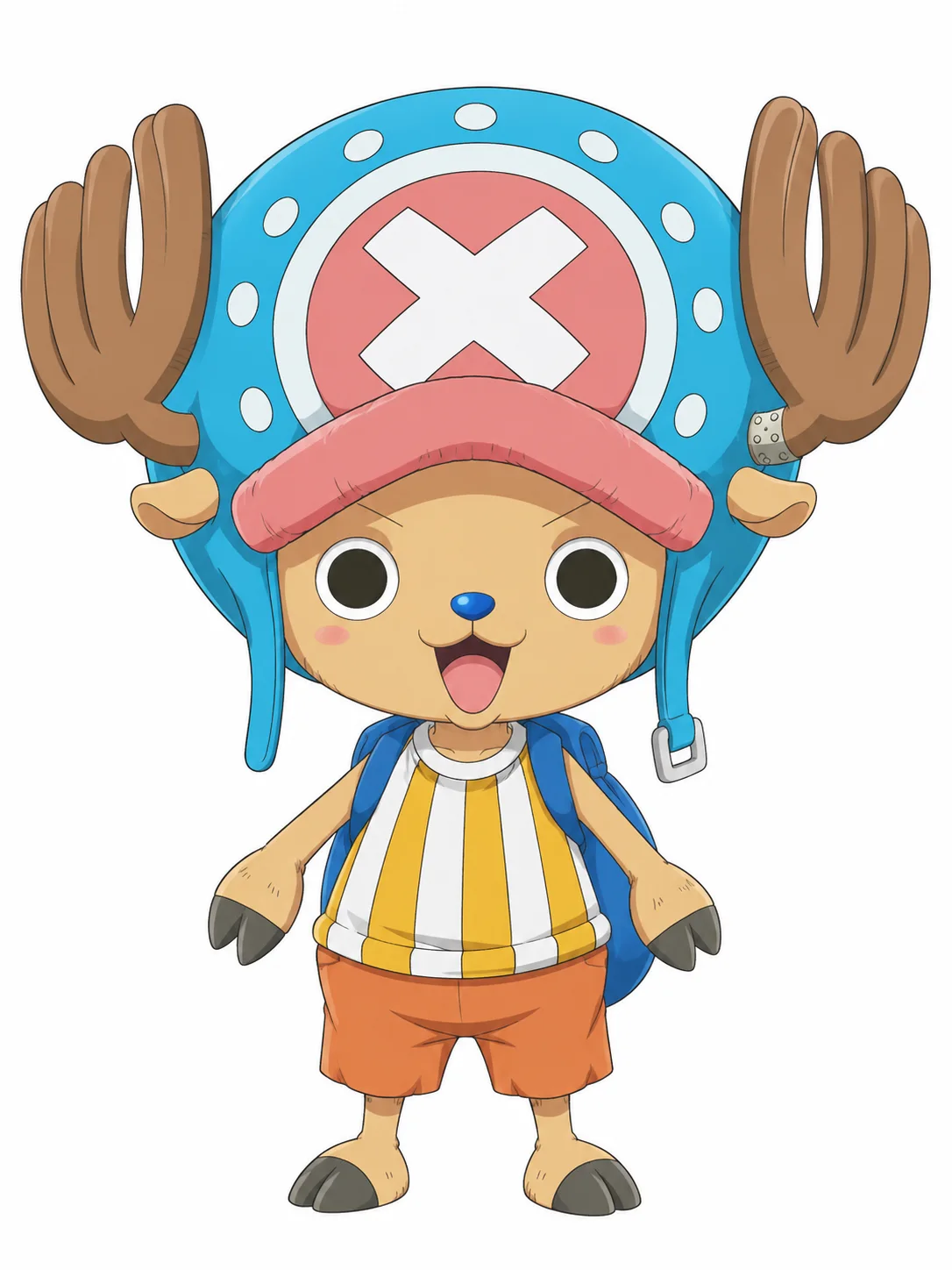
Tony Tony Chopper from One Piece with antlers, a blue-and-pink hat, striped top, and orange shorts

Tony Tony Chopper

A small tan reindeer with a round blue nose, compact hooves, and brown antlers extending through an oversized blue cap layered over a pink crown with a white cross. He wears a yellow-and-white striped tank top, orange shorts, and a small blue backpack.

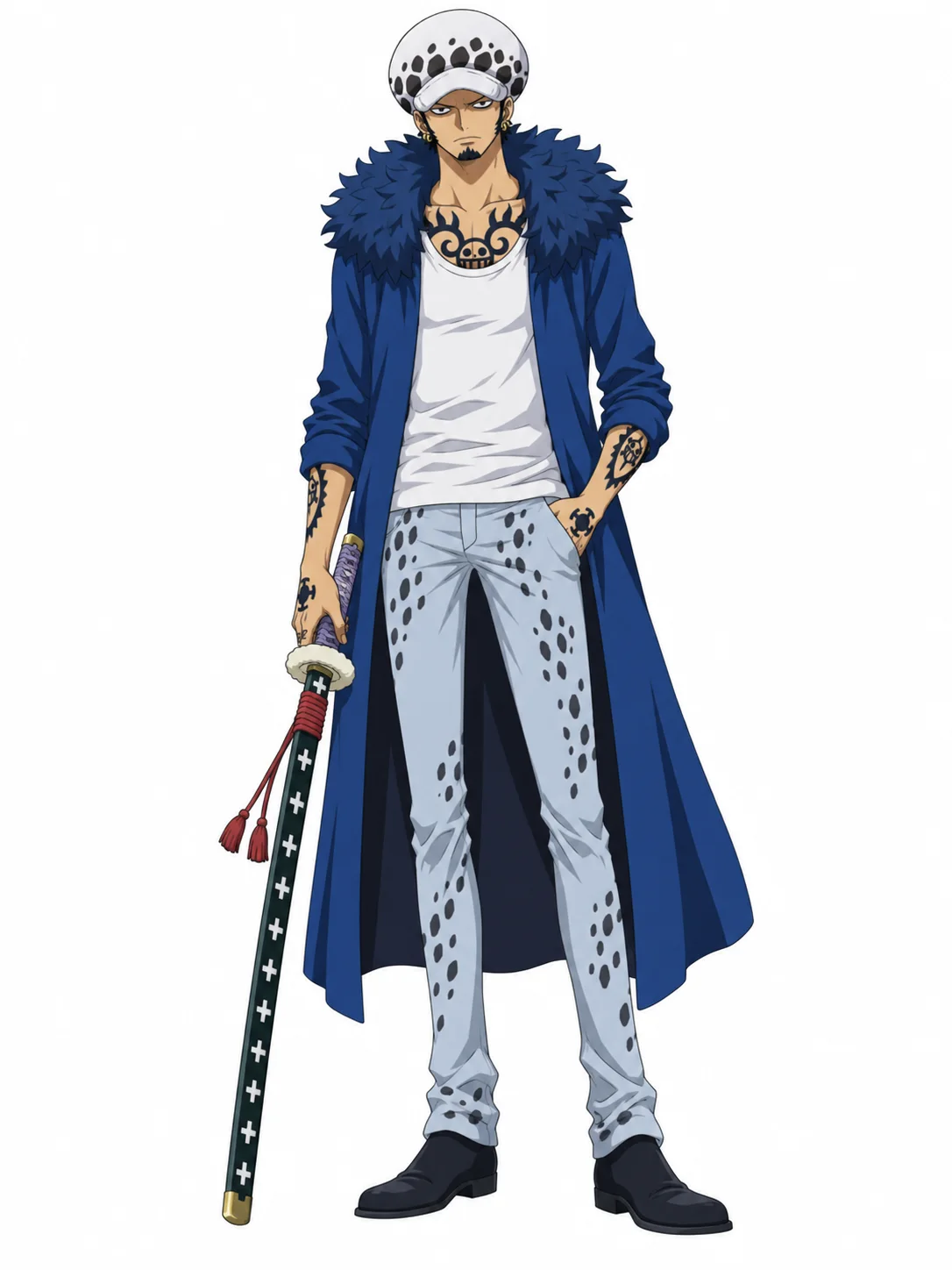
Trafalgar Law from One Piece in a spotted white hat, long blue coat, tattooed outfit, and nodachi

Trafalgar D. Water Law

A lean pirate captain with a white fur hat covered in dark spots, short black hair, small gold earrings, and bold black tattoos across his hands, arms, and chest. A long blue coat frames a white tank top and pale spotted trousers, while a sheathed nodachi rests across one shoulder.

Pink-haired anime princess shown in full-body and close-up character reference views

Introducing the One Piece OC Prompt Box

Once your character idea is ready to take visual form, it’s time to use the prompt box. The One Piece OC Maker supports lots of character details, but it’s super easy to get started. Just enter a short description, and your first character image will be generated. You can begin with a pirate, Marine, bounty hunter, or member of an original crew. Once you know what you’d like your character to look like, add their appearance, outfit, weapon, and pose to the prompt. It’s that easy.

Generate a One Piece OC
Straw-hatted pirate captain standing on a ship beneath a bright blue sky

Choose From Our Collection of Character Art Styles

The Style section is filled with art options, which are ready-made visual directions you can apply to your One Piece OC right away. Simply browse the available styles to find one that’s perfect for your pirate or Marine, then select it before generating. Choose an anime, manga, or stylized 3D look, and pair it with an Auto or Pure White background. You don’t even need to worry about explaining the entire visual style: we’ll combine your selection with the character details in your prompt.

Generate a One Piece OC
Green-haired three-sword fighter in a patterned green robe against stylized clouds

Customize Every Detail of Your One Piece OC

Can’t find a ready-made character direction that matches your idea? You can build your own detailed One Piece OC! There are plenty of details to describe, from faction, crew position, and race to body shape, hairstyle, facial features, and clothing. You can even add a distinctive hat, tattoo, weapon, emblem, or color theme that separates your OC from existing characters. What’s more, you can customize the character’s expression, pose, framing, and background directly through your prompt.

Generate a One Piece OC
Three-panel anime composition featuring a swordsman, pirate captain, and blond cook

Refine Your One Piece OC Until It Feels Right

Is your character missing an important detail? There are all kinds of ways to guide the next result. For example, you can describe a missing scar more clearly, make a weapon more noticeable, or remove conflicting outfit details. But one useful method is changing only one part of the prompt at a time. After generating your One Piece OC, return to the prompt, keep the core character description, and rewrite the part you want to improve. You can generate another version and compare the results. If you want a different outfit or expression later, simply adjust those details and try again.

Generate a One Piece OC
Four chibi pirate crew characters arranged together on a pale square background

Create the Right Image for Your One Piece OC

The best way to create a useful One Piece OC image is to choose a composition that clearly shows the details you care about. Try a close-up portrait for the face and expression, a full-body image for the complete outfit and weapon, or a character-sheet-style layout when you want to show several details together. With clear framing instructions, along with the right pose and background, your OC can fit naturally into a profile, fan story, or roleplay reference. Other fans will understand your character before reading the full description!

Generate a One Piece OC

How to Make a One Piece OC

  1. 1

    Enter Your Character Idea

    Select the “Create Your OC” button, then describe your character or upload a selfie or reference image to get started.

  2. 2

    Customize Your One Piece OC

    In the prompt box, add details such as your character’s appearance, pirate role, outfit, weapon, Devil Fruit power, pose, and background.

  3. 3

    Download Your Character

    Finally, generate and download your One Piece OC in high resolution, or adjust the prompt to create another version.

Popular Ways to Use One Piece OC Maker

See how fans use the One Piece OC Maker to visualize original pirates, introduce story characters, complete OC profiles, and plan full crews.

OC Profiles

Build a clear visual profile for your One Piece OC. Pair the character image with their name, faction, crew role, appearance, weapons, and backstory.

Fanfiction Illustrations

Turn your original pirate, Marine, or rival into artwork for story covers, chapter introductions, and character guides. The One Piece OC Maker helps readers picture your character from the start.

Pirate Crew Lineups

Design captains, navigators, doctors, shipwrights, and other crew members with distinct looks. Generate each One Piece OC separately to build a complete pirate crew lineup.

Roleplay Character Art

Create a portrait or full-body image for your roleplay profile, character card, or chat avatar. Give other players a clear view of your OC before the adventure begins.

Drawing References

Explore hairstyles, outfits, colors, and weapons before drawing or commissioning your character. Use the One Piece OC Maker to turn written ideas into a practical visual reference.

Create One Piece OCs Faster and Explore More Ideas

Try OC Maker’s One Piece OC Maker helps you turn simple prompts or reference images into original character designs you may not have imagined before.

Generate One Piece OCs from Text

Create any One Piece OC—from pirate captains and Marines to navigators, doctors, and swordsmen—with a few lines describing their appearance, outfit, colors, weapon, and pose.

Create from Reference Images

Quickly turn a selfie, drawing, or existing character image into a One Piece OC. Upload your reference and tell the AI which features to keep and what you want to change.

Refine Your OC Design

When a detail does not look right, update your prompt to change the hairstyle, clothes, colors, accessories, or pose while keeping the main character idea.

One Piece OC Maker FAQs

Can I create a full-body One Piece OC?

Yes. Choose the 3:4 image size and add “full body,” “head to toe,” “standing,” and “feet visible” to your prompt. Describe the pants, shoes, and pose as well as the face and outfit. If the result is cropped, remove words like “portrait” or “close-up” and use a simpler background.

How do I make my One Piece OC look original?

Give your character a clear job, color theme, and special feature. For example, a pirate doctor might carry small medicine bags and wear a coat with shell-shaped buttons. Do not copy an existing character’s hair, clothes, colors, and accessories all at once. Try a few different looks and keep the details you like best.

Can I upload a selfie or reference image?

Yes. You can upload a selfie, drawing, or existing OC image. Use a clear picture with one person and a face that is easy to see. Tell the AI what to keep and what to change, such as: “Keep the face and black hair, but change the clothes to a blue pirate outfit.”

How can I create my own One Piece OC?

First decide whether your character is a pirate, Marine, Revolutionary, or another type of character. Then choose their job, body type, face, hair, clothes, colors, weapon, and special accessory. Add a pose and background, generate the image, and change any details that do not look right.

What should I type into a One Piece OC Maker?

Describe the character in this order: role, age, body type, face, hair, clothes, colors, weapon, pose, and background. For example: “A young female pirate navigator with short teal hair, a red jacket, cream pants, and a brass compass necklace, holding a sea map, full body, white background.”

Do I need drawing skills to create a One Piece OC?

No. You can describe your idea in words or choose basic details with the character builder. The One Piece OC Maker draws the character for you. If the hair, clothes, colors, or pose are wrong, update that part of the prompt and generate another version.

Is there a free One Piece OC Maker online?

Yes. Try OC Maker gives new users 40 free credits after signing up. A standard OC image currently costs 10 credits, so you can generate up to four images with the starting credits. Use them to test different prompts, styles, and character designs.

AI One Piece OC Generator

Dream it up, describe it, and watch your character appear. Our One Piece OC Maker turns your prompt into an original character in the style and background you choose. Refine and regenerate until you find the right design.

Generate a One Piece OC