
1. Chibi Corn Dog Conversation
Cute chibi digital comic, clean thin outlines, very large sparkling gray eyes, tiny bodies, rosy cheeks, smooth soft coloring, outdoor school or campus background with green trees and brick walls.
/w1440.webp)
Create captivating comics online with Try OC Maker’s free AI comic generator. Easily turn your creative ideas into high-quality comics from text, scripts, and images. The best AI comic generator for you to make different types of comics. Come and create your unique comic now!
Your latest creations, grouped by local date.
Sign in to see your manga history. You can prepare your script before signing in.
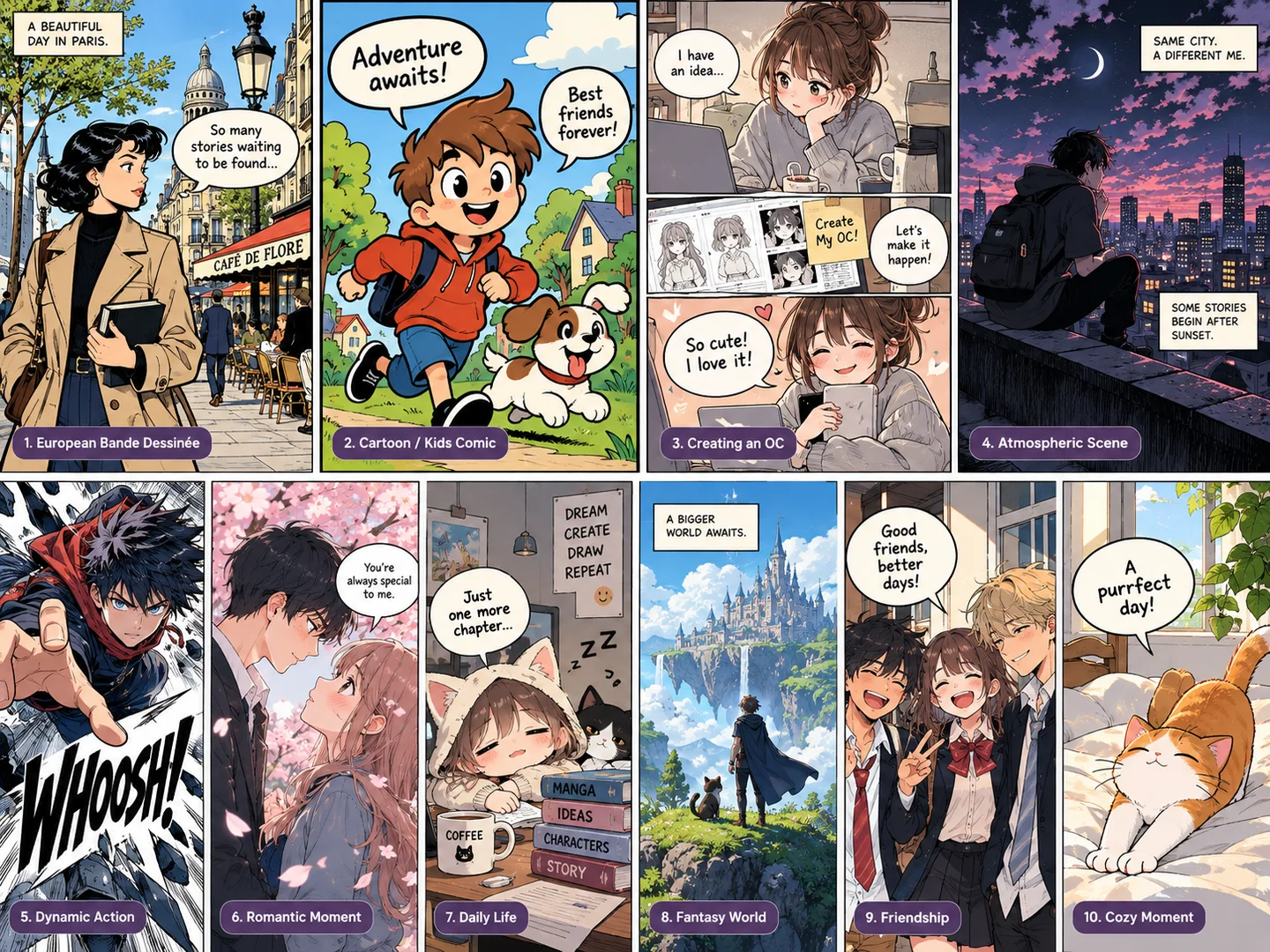
Discover popular AI comic generation examples with optimized text-to-comic prompts. Generate eye-catching comic panels, comic strips, comic pages, superhero comics, webcomics, graphic novels, and more in seconds.
Cute chibi digital comic, clean thin outlines, very large sparkling gray eyes, tiny bodies, rosy cheeks, smooth soft coloring, outdoor school or campus background with green trees and brick walls.
Single-panel Korean webtoon / romance comic illustration, 4:3 landscape. Soft clean linework, subtle cel shading, warm cream and amber lighting, elegant semi-realistic anime faces, gentle pastel atmosphere.
/w1440.webp)
Bright wholesome modern anime/cartoon comic page, clean black outlines, smooth cel shading, expressive cute animals, soft warm colors, suburban Japanese-style residential neighborhood and cozy home interior.
/w1440.webp)
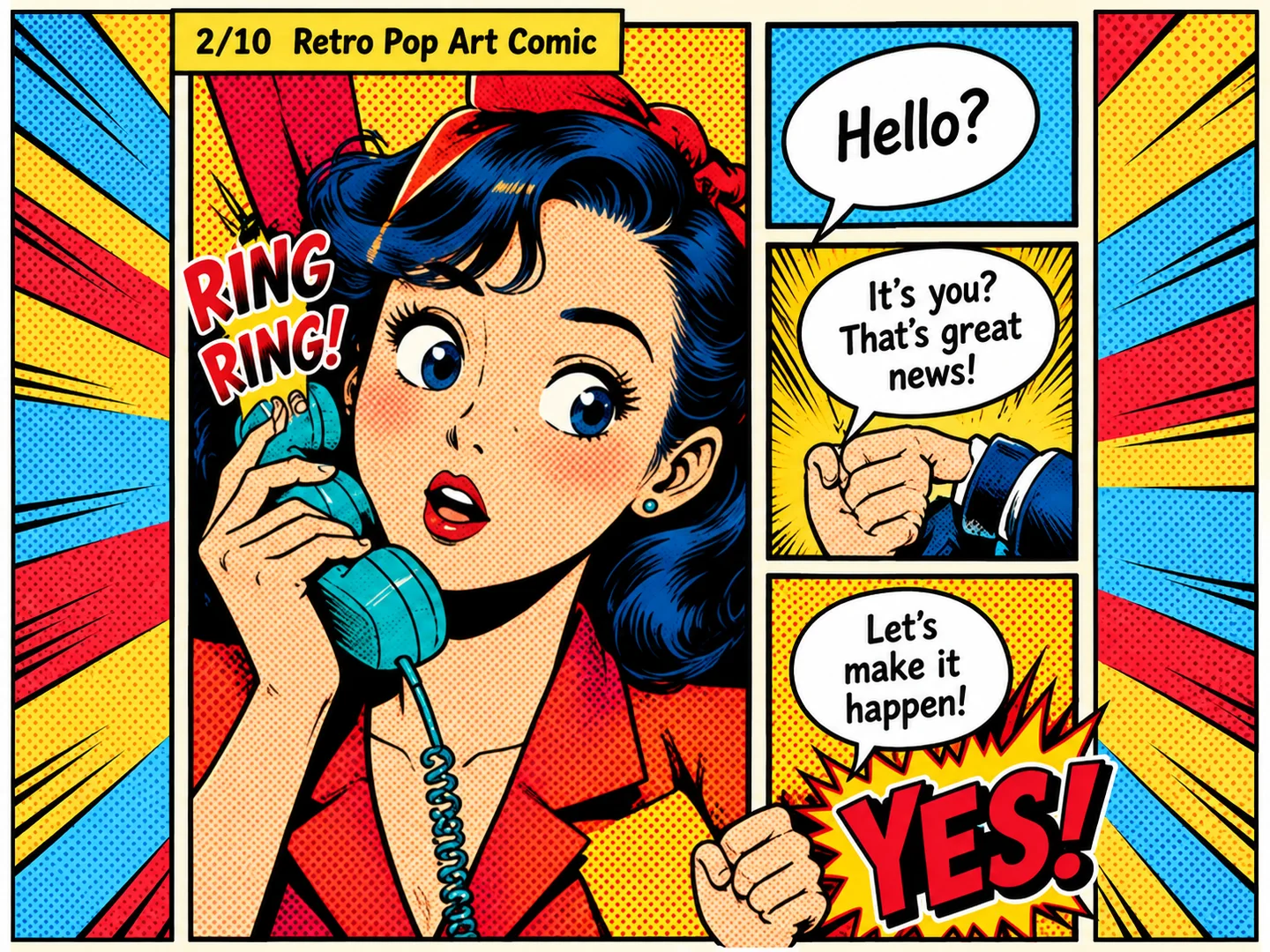
Classic American superhero comic page, retro 1960s–1970s print aesthetic, thick black ink outlines, Ben-Day halftone dots, limited saturated CMYK-style colors, dramatic foreshortening, bold panel borders and explosive comic typography.
/w1440.webp)
Lush watercolor fantasy comic page with soft hand-painted brushwork, subtle paper texture, luminous forest greens, turquoise shadows, pale blue sky, warm filtered sunlight, moss, waterfalls, ferns and tiny white flowers.
/w1440.webp)
Bright modern all-ages cartoon comic, clean smooth black outlines, warm golden morning light, soft digital cel shading, cozy pastel bedroom and bathroom.
/w1440.webp)
Warm hand-drawn indie comic with textured watercolor/gouache coloring, slightly rough ink outlines, cream paper background, muted olive green, mustard yellow, orange, mint green and warm beige palette.
/w1440.webp)
Vibrant full-color shonen manga page, crisp black ink outlines, cel shading, strong perspective, saturated blue sky, tropical coastal harbor, wooden buildings, palm trees, barrels, crates, ships and ocean in the distance.
/w1440.webp)
Warm romantic webtoon comic page set inside a cozy apartment at night, polished semi-realistic anime/webtoon rendering, soft skin shading, detailed hair, warm table lamps, bookshelves, framed photos, indoor plants and city lights outside the window.
/w1440.webp)
/w1440.webp)
Try OC Maker’s AI comic generator allows you to turn stories and reference images into planned comic panels. Whether it is your text, script, selfie, portrait, OC sketch or even your pet, our powerful comic AI can quickly arrange the characters, actions, settings and camera angles into a clear panel-by-panel sequence.
You can turn portrait or pet photos into amazing AI comics. Additionally, our tool will retain the main character features (face, hair, outfit, colors, etc.) to keep characters consistent across panels.
Plan Your Comic Panels/w1440.webp)
Anyone can edit comic dialogue with Try OC Maker’s AI comic creator. All you need to do is to select the dialogue or speech bubble you want to change. Then, our comic maker will let you rewrite the line, change the font and size, move the bubble, adjust its tail and assign it to the correct speaker.
No image editing skills or panel regeneration are required to update your conversation. Meanwhile, the characters and artwork in the panel remain unchanged.
Edit Comic Dialogue/w1440.webp)
More than full-page regeneration, our AI comic maker can regenerate an individual panel with maintained character consistency and creative control.
From an incorrect pose or expression to the wrong background, camera angle or character detail, you just select the panel and describe what needs to change, and our tool will update it while preserving the approved characters, composition, dialogue and surrounding panels.
Regenerate a Comic Panel/w1440.webp)
It creates an organized AI comic workspace for your characters, panels, text and multi-page stories.
Keep a reusable character library, save projects, track the current story state and review version history while maintaining continuity from page to page. Ideal for comic strips, webcomics and full-length comic books.
Build Your Comic BookDescribe your characters, setting, actions, and dialogue...
Generate mangaIn the AI comic generator’s prompt box, describe a detailed story—name the characters, setting, actions, and dialogue. Upload reference images to guide how your characters look.
Choose an available style and 1–6 panels to fit your story. Select a generation mode and either full color or black and white.
Click the “Generate manga” button to start using the AI comic generator. Log in or sign up when prompted. Your multi-panel comic will appear when generation is complete.
/w1440.webp)
/w1440.webp)
/w1440.webp)
Try the AI comic generator free online with 40 credits after signup.
Generate eye-catching comic panels with clear, readable text and vivid colors in seconds, optimized for beginner comic creators.
Create manga, anime, superhero, webtoon, and other comic styles from your ideas.
No drawing skills, no complex software, no plugins—just enter a prompt and generate.
An AI comic generator turns text, stories, scripts, sketches, or reference images into comic panels and complete comic pages. It can generate characters, backgrounds, actions, panel layouts, dialogue, and speech bubbles, instead of producing only a single comic-style image.
Yes, Try OC Maker’s AI comic generator is free to try. New users receive 40 Credits after signing up and can earn more through daily check-ins. Each generation uses Credits, so you can purchase additional Credits or choose a paid plan when the free balance runs out.
The best AI for comics should maintain the same characters across panels, turn scripts into clear visual scenes, support different panel layouts, and let you edit dialogue or regenerate one incorrect panel. It should also accept character references and support styles such as American superhero comics, Korean manhwa, European bande dessinée, modern webcomics, retro pop art, and kids’ cartoons.
No drawing skills are required. Describe your characters and story in everyday language, or upload a sketch, photo, or existing OC as a visual reference. You still control the story, dialogue, comic style, and details you want to change.
An AI comic generator analyzes your prompt or script, breaks the story into visual scenes, and generates the characters, settings, actions, and panels needed for each moment. A reference image can help keep the same face, hairstyle, outfit, and colors across panels. You can then edit the dialogue, adjust the layout, or regenerate individual panels.
A first comic page can usually be generated in seconds or a few minutes. The total time depends on the model, resolution, number of panels, reference images, and how many changes you make. A multi-page comic book takes longer because each page must be reviewed for character consistency, dialogue, and story flow.
Yes. You can upload a sketch, portrait, selfie, pet photo, or existing OC and turn it into a comic character. A clear, high-quality reference usually produces better results, although small details may still change between panels. Only upload another person’s photo when you have their permission.
Yes. AI can help turn a story or script into characters, scenes, panels, comic pages, and a multi-page comic book. Character references help keep the cast recognizable across the story, while panel editing lets you correct individual scenes without remaking an entire page. You should still review the dialogue, page order, and visual continuity before publishing.
Turn simple ideas into compelling comic panels that bring your stories to life. No drawing skills or complex setup needed!
Try Our AI Comic Generator for Free