South Park OC Maker

Turn your character idea into a round-headed, winter-coat-wearing South Park OC with Try OC Maker. Create the artwork for personal avatars, fanfiction references, and OC introduction—just describe your idea to get started.

Create your original character

Generated Results

Your latest creations, grouped by local date.

Sign in to view your OC history.

Find Inspiration for Your Next South Park OC

See six familiar characters from the original South Park series, from the children’s iconic winter outfits to the distinct designs of its adult residents. All of these South Park OCs were generated with Try OC Maker.

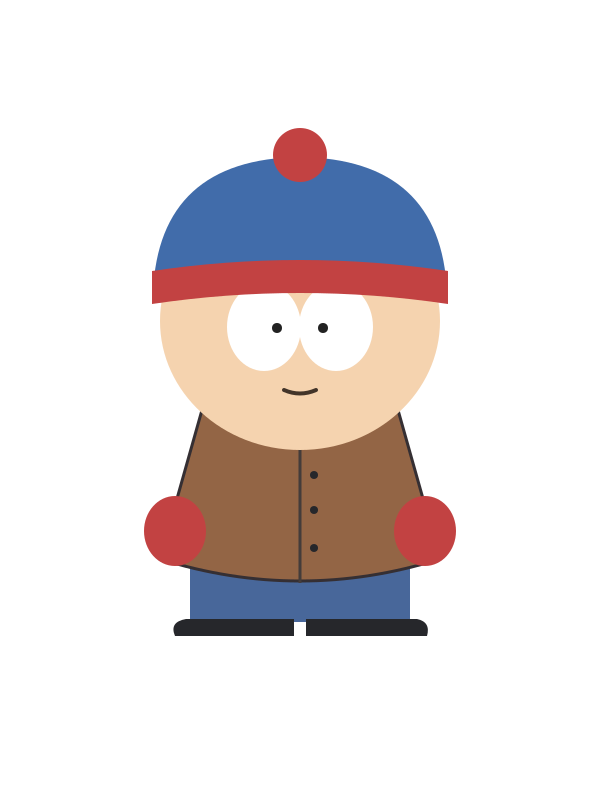
Stan Marsh from South Park in a blue and red pom-pom hat and brown jacket

Stan Marsh

Pom-pom silhouette

A round-headed boy wearing a blue knit cap with a red band and pom-pom, with large white eyes beneath the brim. His brown buttoned jacket, red mittens, blue trousers, and black shoes form broad, easily separated blocks of color.

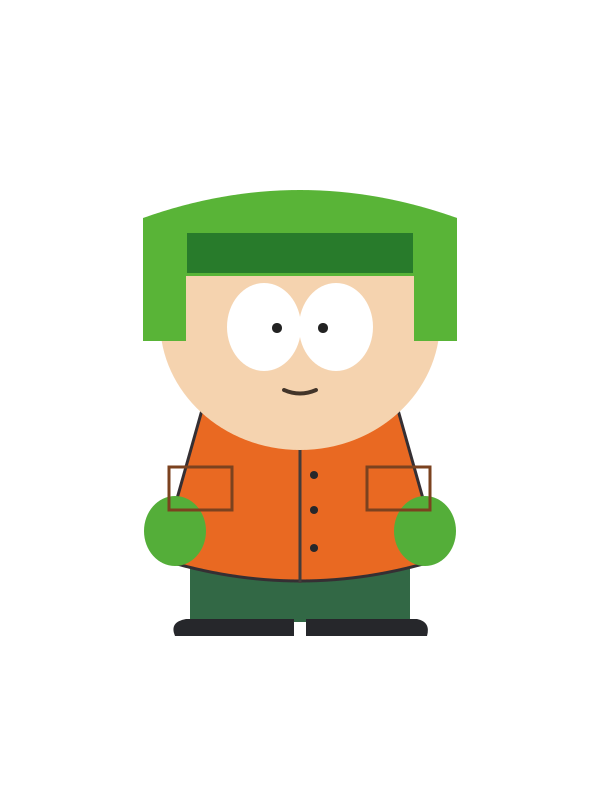
Kyle Broflovski from South Park wearing his green earflap hat and orange jacket

Kyle Broflovski

Earflap hat outline

A bright green earflap hat frames a round face with large white eyes, hiding most of the hair. The orange jacket has two chest pockets, while green mittens, dark green trousers, and black shoes repeat the hat’s contrasting palette.

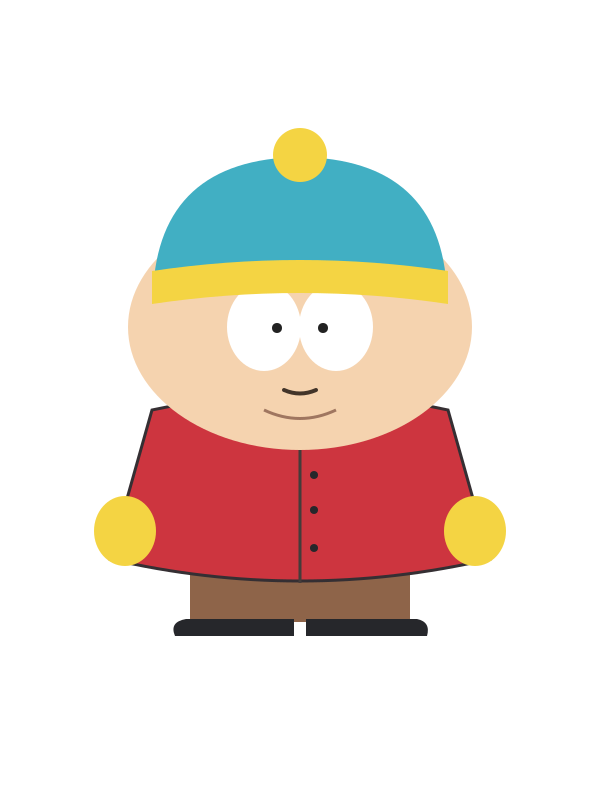
Eric Cartman from South Park in a turquoise and yellow hat, red coat, and yellow mittens

Eric Cartman

Wide body proportions

A broad, rounded figure with a turquoise cap, yellow hat band, and yellow pom-pom above an oval face. A red buttoned coat stretches across the body, paired with yellow mittens, brown trousers, and small black shoes below the hem.

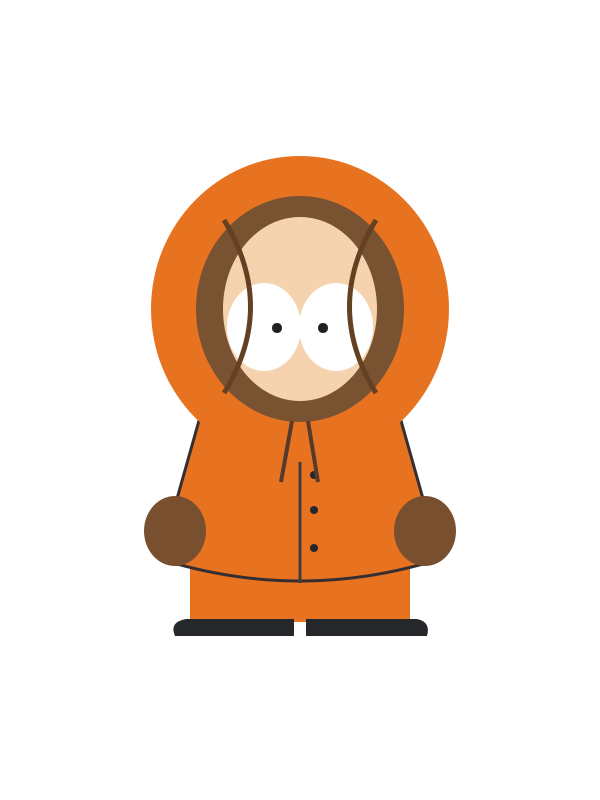
Kenny McCormick from South Park in his closed orange parka and brown mittens

Kenny McCormick

Face-framing hood

An orange parka surrounds the small figure, with a tightly closed hood leaving the eyes visible inside a brown inner opening. Dark drawstrings, brown mittens, orange trousers, and black shoes keep the outfit simple from head to toe.

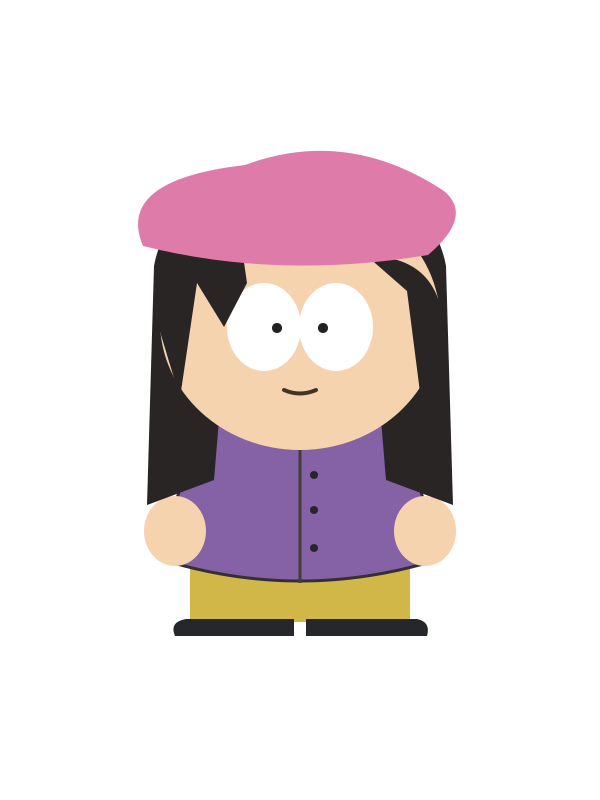
Wendy Testaburger from South Park in a pink beret and purple coat with long black hair

Wendy Testaburger

Beret and long hair

Long black hair falls beside a round face beneath a pink beret, making a different outline from the boys’ winter hats. A purple buttoned coat, yellow trousers, and black footwear complete the outfit, with large white eyes remaining the main facial feature.

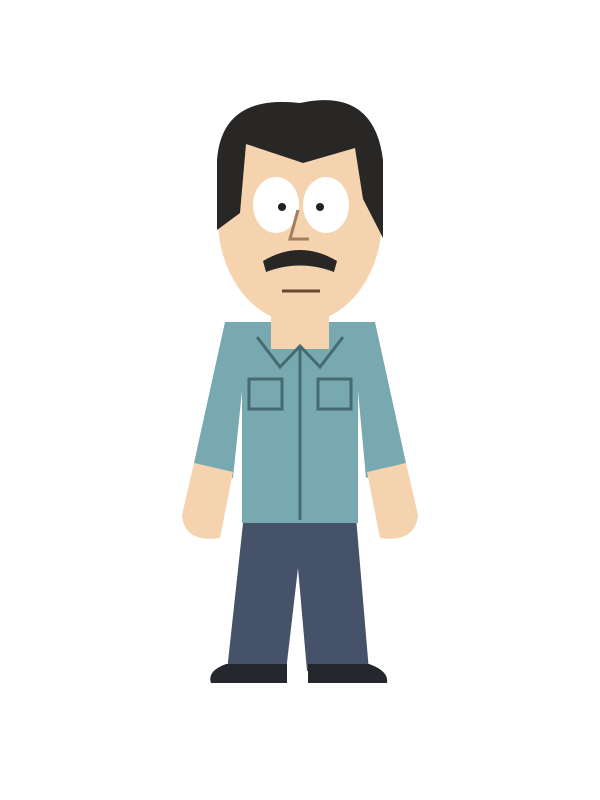
Randy Marsh from South Park with a black mustache and light blue collared shirt

Randy Marsh

Adult proportions

A tall adult figure with short black hair, a black mustache, and a longer face than the schoolchildren. His light blue collared shirt has chest pockets and rolled sleeves, above dark trousers and black shoes that emphasize the longer-legged silhouette.

Why Do Fans Love Creating South Park OCs?

First released in 1997, South Park is an adult animated comedy created by Trey Parker and Matt Stone. It uses simple, cute-looking characters to tell absurd stories filled with dark humor while satirizing social issues, celebrities, politics, and consumer culture. The story centers on Stan, Kyle, Cartman, Kenny, and the people living around them in a small Colorado town.

South Park characters are built from simple geometric shapes, flat colors, hairstyles, hats, and clothing, making them easy for fans to recreate. Many fans design a South Park persona based on themselves or turn friends, family members, and people they like into South Park characters. They also use fan art and fiction to develop relationships between supporting characters that receive little attention in the original series. Together, these factors have made South Park OC creation especially popular.

A new kid in townRound headMustard bobble hatTeal winter coatFlat cartoon colors

Turn Photos and Text into South Park OCs

Try OC Maker’s South Park OC Maker turns reference photos and written ideas into flat-color, cutout-style characters. Upload a selfie or photo to create a recognizable version of yourself, a friend, or a family member, with details such as the hairstyle, glasses, skin tone, facial hair, and usual clothing reflected in the design. You can also make a South Park character entirely from text by describing the age, expression, hat, outfit, pose, and background—no drawing or preset character parts required.

Create Your South Park OC
South Park-inspired woman astronaut created from a reference portrait

Redesign Your Existing South Park Character

Already have a character design? Upload the finished image to our South Park OC Creator and use it as a reference for a new version. Keep the recognizable hairstyle, hat, outfit colors, and accessories while exploring a different expression, pose, coat, or background. You can also create child, teenage, and adult versions of the design, making it easier to show how the same character looks at different ages or in different parts of a story.

Create Your South Park OC
South Park-inspired couple at a snowy holiday market

Create Couple and Family South Park Portraits

Upload two reference photos or describe both people to create a custom couple portrait, family picture, friendship image, or two-character scene. You can make a character in a South Park-inspired style for each person while defining their hairstyle, clothing, accessories, age, and position separately. Place an adult couple with their child, introduce two new classmates, or show your character interacting with a friend instead of generating everyone as isolated portraits.

Create Your South Park OC
South Park-inspired woman standing outside a snowy school

Flexible Aspect Ratio and Output Size

When creating South Park character images, choose the aspect ratio according to where the result will be used. Select 1:1 for profile pictures, Discord avatars, and social media PFPs; 3:4 for full-body designs and character profiles; 4:3 for characters with props or simple settings; and 16:9 for fanfiction scenes, YouTube thumbnails, group artwork, and animation. The right format gives the character and background enough room while reducing the need to crop important details later.

Create Your South Park OC
Four South Park-inspired friends with winter sports gear

Animate Your South Park OC

Turn the finished character image into a short video with Try OC Maker’s AI Animation Generator. Upload your South Park OC, describe one clear action, and generate a scene in which the character waves, walks, turns their head, or reacts to someone nearby. Use the animation for a character introduction, fanfiction scene, roleplay post, or social media clip. You can also choose a square, vertical, or widescreen format based on where the video will be shared—without using separate animation software.

Create Your South Park OC

How to Make a South Park OC

Turn your idea into a South Park OC in three simple steps. Describe your character, choose a model and background, then generate and download the finished image.

  1. 1

    Describe Your Character

    Enter a short description of your South Park OC. Include details such as their hairstyle, hat, outfit, colors, and expression. Use Builder to choose each feature step by step, or switch to Prompt to write your own description.

  2. 2

    Choose a Model and Background

    Select the model you want to use. Choose Pure White for a clean character image, or Auto to let the South Park OC maker add a background.

  3. 3

    Generate and Download

    Click Generate Character to create your South Park OC. If you want to change the result, adjust the description and generate again. Download the version you like best.

More Ways to Use Your South Park OC

Your South Park OC can be more than a single character image. Turn it into a personal avatar, pair it with an OC profile, use it to illustrate a fan story, or introduce it in your next roleplay.

Profile Pictures

Preset avatar makers can make every character look like the same child, leaving little room for your real age or personal features. Upload a photo to South Park OC Maker and keep recognizable details such as your hairstyle, glasses, outfit, and expression. Create a personal profile picture that is easy to recognize, even at a small size—without drawing it yourself or hiring an artist.

Create Your South Park OC

Why Choose Our South Park OC Maker?

Anyone can easily create a South Park OC from a text prompt or reference image. Customize your character’s appearance, explore different styles, and bring your idea to life.

Easy to Use

No drawing or prompt-writing experience is needed. Enter a few character details or follow the guided options to create your South Park OC with ease.

Fast AI Generation

Turn a character idea into artwork in just a few clicks. AI handles the illustration process, so you can develop new OC concepts without drawing every detail by hand.

Flexible Creation Modes

Use the guided builder when you need inspiration, or write your own prompt when you already have a clear idea. Choose the method that fits your creative process.

Text & Image to OC

Describe your character with text or upload a reference image to guide the design. Create a South Park OC based on the hairstyle, clothing, colors, and other visual details you provide.

Multiple Art Styles

Create the familiar flat-color, cutout-inspired look or experiment with other available styles. Explore different ways to present the same character idea for avatars, stories, and roleplay.

High-Quality Results

Download clear, high-quality character artwork with recognizable colors and details. Use the finished image for profile pictures, OC profiles, fanfiction, fan comics, or roleplay characters.

South Park OC Maker FAQs

How can I make a South Park version of myself?

Open the South Park OC Maker, and upload a clear photo of yourself. Tell the AI to keep the details that make you recognizable—your hairstyle, glasses, skin tone, and usual outfit—while turning you into a flat, cutout-style South Park-inspired character. You can also describe yourself in text, but a photo usually gives the AI more to work with.

How can I make a South Park OC if I can't draw?

You don’t need any drawing skills. Open Builder or Prompt mode and describe what your South Park OC looks like, including their age, hat, hairstyle, coat, colors, and whether you want a full-body image. Generate the first version, see what feels off, then change that part of the prompt and try again. There’s no need to redraw anything by hand.

Can I make an adult or teenage South Park character?

Yes. Choose Teenager or Adult in the Builder, then describe details that make the character’s age clear. You might ask for an older-looking hairstyle, or clothes that suit a teacher, parent, or another adult in town. If the character still looks too young, add more detail about their age.

Can I recreate an existing character in the South Park style?

Yes. Upload an image you have permission to use to the South Park OC Maker. Tell the AI which details to keep, such as the hairstyle, glasses, signature outfit, and color palette, then ask for a flat, cutout-style South Park Character look. Small details may change, so the result might not be an exact copy.

Can I give my South Park OC different poses?

Yes. Upload your OC image to the South Park OC Maker, then describe the new pose in detail, like head direction, arm position, hand placement, and gaze. For a more difficult pose, you can also upload a separate pose reference.

Can I create side and back views of my South Park character?

Yes. Ask for a full-body view from the side, or back. Describe key details that cannot be seen from the front, such as the back of the hairstyle, hat, or coat.

How can I put two South Park characters in one picture?

For two new characters, describe them separately as Character A and Character B. Say where each character should stand and which hat, outfit, and colors belong to them. If you already have images of both OCs, upload them to the South Park OC Maker and say which character should appear on the left or right.

Is this South Park character maker an official tool?

Try OC Maker is operated by Lantiva LLC, not South Park Studios. The images you create are fan-made concepts, not official characters.

Create Your South Park OC Without a Sketch

Creating a new face for the town does not have to start with a blank drawing. Begin with a character description in Try OC Maker.

Create Your South Park OC